How to Create an Order (and Skip the Fee)
1.
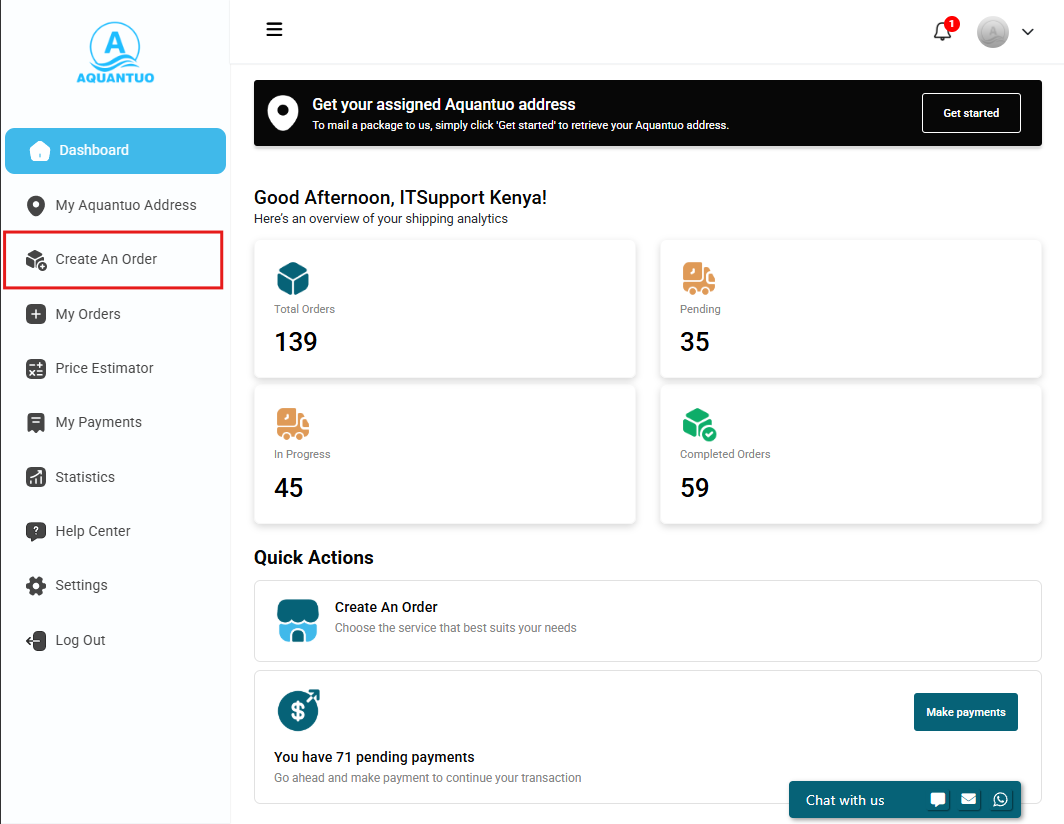
Get Started
Click Create Request from your Aquantuo dashboard.
2.
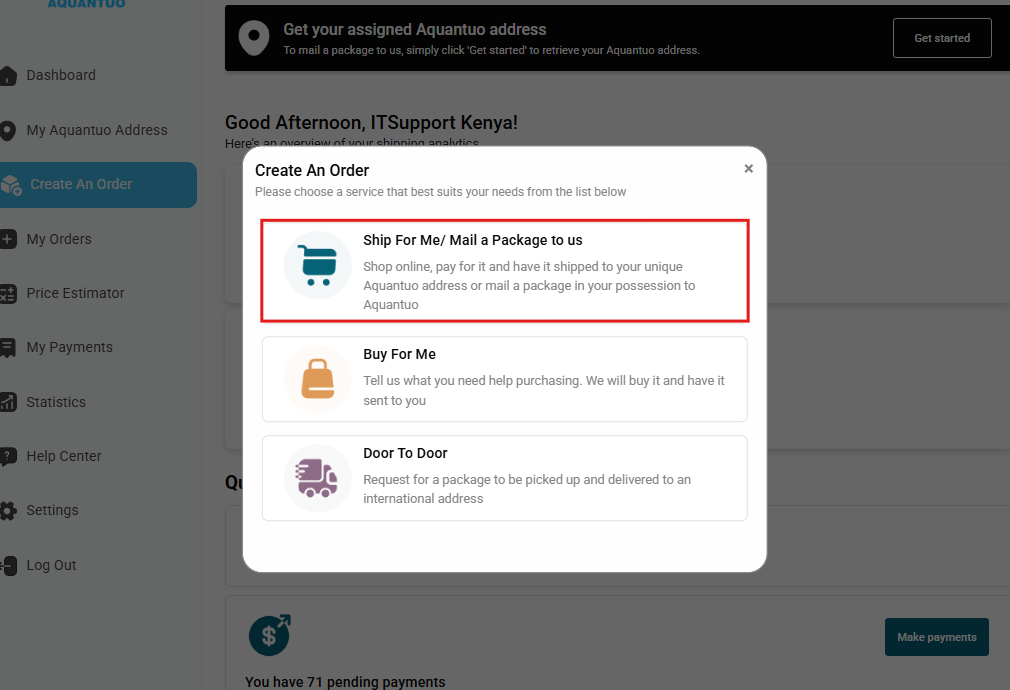
Choose Your Service
Select the e-commerce service you are using:
- Ship for Me
- Buy for Me
- Door-to-Door
3.
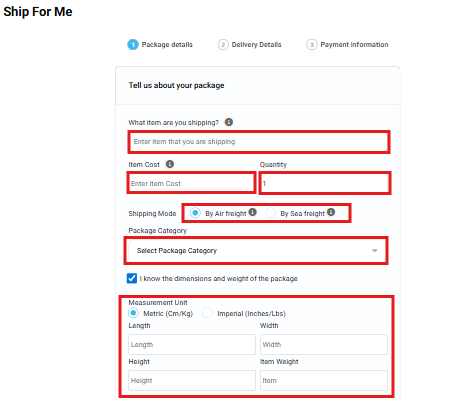
Add Item Details
Provide the following:
- Item description, cost & quantity
- Package category
- Shipping mode: Air or Sea
Tip: If dimensions are unknown, enter 1 × 1 × 1.